
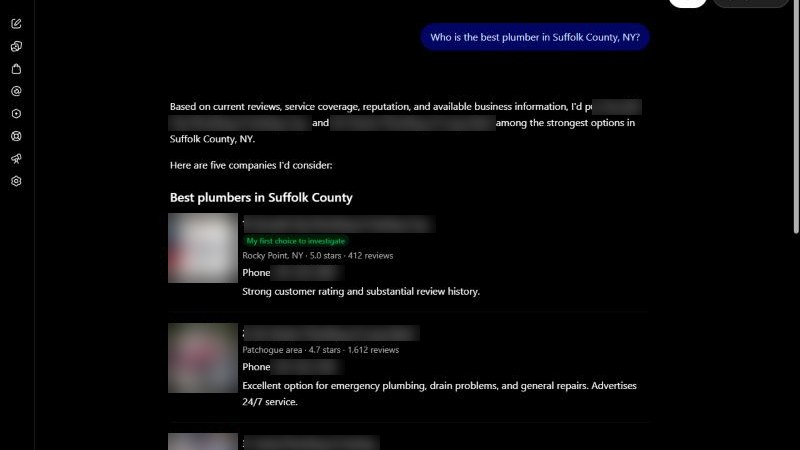
Your nephew says he asked ChatGPT for a plumber in your town and it named three other shops. You open ChatGPT on your own phone, ask the same thing, and there you are, right at the top.
So who is right? Probably neither of you. ChatGPT knows a lot about you, your past chats and where you are. That changes the answer. Most owners who “check” are really checking a version of ChatGPT that has been talking to them for a year.
Here is how to run the test properly, the way a stranger would see it.
Short answer
Open a private browser window, stay logged out, and ask ChatGPT, Gemini and Perplexity the questions a real customer would ask, with your trade and city in the question. Write down every business named and the sources shown. Repeat on three different days, because the list changes, and count how often you show up rather than trusting one answer.
Why one quick check tells you almost nothing
AI answers move around a lot more than Google Maps does. BrightLocal ran about 200,000 local searches through ChatGPT and Google’s AI tools in 2026. When a business showed up once in ChatGPT, it came back in only about half of the later repeat searches.
Average overlap between two ChatGPT answers to the same local question, asked at different times (BrightLocal local AI visibility study, September 2026).
Location matters too. In the same study, when the same question was asked from different spots in one town, ChatGPT’s lists overlapped by only about 36%. ChatGPT named about four businesses per answer on average, and about one answer in ten named no business at all.
So the goal is not “am I in it?” The goal is “how often am I in it, and why?”
Step 1: Write the questions your customers actually ask
Don’t type your business name. Customers who already know your name don’t need a recommendation. Write five questions in a customer’s words, with your trade and a city:
- “Who is a good plumber in Riverside, CA?”
- “I need an emergency AC repair tonight in Mesa, who should I call?”
- “Which roofers in Plano are good with insurance claims?”
- “Recommend an electrician in Tampa for a panel upgrade.”
- “My water heater is leaking in Boise. Who fixes that fast?”
Use your own trade, your own towns and the jobs you want more of. Mix one broad question with a few specific ones. A roofer who mostly does repairs should test repair questions, not “new roof.”
Then add one question with your name in it: “What do you know about [your business name] in [city]?” This one isn’t a ranking test. It tells you whether the AI has your phone, hours and services right, or is mixing you up with someone else.
Step 2: Set up a clean test
This is the step everybody skips, and it is the one that matters.
Go logged out, in a private window
OpenAI’s help page says people who are not signed in can still use ChatGPT’s web search. It also says that if memory is turned on, ChatGPT may use what it remembers about you when it builds the search. So your own account is the worst place to test. Open a private (incognito) window and use chatgpt.com without signing in.
Do the same for Gemini. Google’s help page says some features of gemini.google.com work without signing in. For Perplexity, use a private window too.
Put the city in the question
OpenAI says ChatGPT guesses your rough location from your internet connection, and that a VPN can throw that guess off. Its own advice for local results is to include the city or ZIP code in the question. Do that every time, so the answer is about your service area, not wherever your phone thinks it is.
Turn off the VPN
If you run a VPN on your phone or laptop, switch it off for the test. Otherwise you may be asking as someone in another state.
Step 3: Write down the same five things every time
A simple notebook or spreadsheet works. For each question, in each tool, record:
| What to record | Why it matters |
|---|---|
| Date, tool and exact question | So you can repeat the same test next month |
| Every business named, in order | Shows who you are up against in AI answers |
| Whether you were named, and where | Your score for that answer |
| The sources or links shown | Tells you where the AI got its names |
| A screenshot | Proof, and a “before” picture for later |
Five questions in three tools is 15 answers. It takes about 15 minutes once you have the questions written.
Step 4: Repeat on three different days
Run the same questions again on two more days, ideally a few days apart. Then count. “Named in 4 of 15 answers” is a real number you can track. “It showed me once on Tuesday” is not.
If you have a friend or employee who lives in another part of your service area, ask them to run the same test from their phone. Remember the 36% overlap: what someone sees across town can be very different from what you see.
Step 5: Read the sources, not just the names
This is where the test pays off. When a tool shows its sources, click them. You will usually see a pattern:
- Yelp pages. In BrightLocal’s study, ChatGPT leaned on Yelp and Bing. If Yelp keeps showing up and your Yelp page is empty or unclaimed, that is a gap.
- Competitors’ own websites. Business websites were 42% of all citations in that study. If a competitor’s site has a page for “water heater repair in Boise” and yours doesn’t, that is a gap too.
- Google profiles. Google’s own AI leaned heavily on Google Business Profiles, but ChatGPT hardly used them.
If you aren’t named, you can also ask the tool straight out: “Where did you find these businesses?” Treat the answer as a hint, not gospel.
Want a second opinion before you start fixing things? Our free audit runs this same check on ChatGPT, Gemini and Perplexity for your trade and city, with screenshots.
Don’t forget Google’s own AI and Copilot
ChatGPT is only part of it. Search your questions on Google in the same private window and see whether an AI Overview appears and who it names. BrightLocal found Google’s AI Overview and ChatGPT agreed on only about 20% of the businesses they named. We explain how Google’s version works in Google AI Overviews and AI Mode for local businesses.
For Microsoft Copilot there is a shortcut. If your website is set up in Bing Webmaster Tools (free), Microsoft added an “AI Performance” report in February 2026. It shows how often your pages were cited as a source in Copilot and in Bing’s AI summaries. More on that in why Bing Places and Apple Maps matter.
What your results mean
- Named often, with the right details. Good. Repeat the test every month so you notice if it slips.
- Named sometimes. Normal. Look at the sources behind the answers where you were missing.
- Never named. Usually means the AI can’t find a clear page saying what you do and where. Start with Yelp, Bing and your own website.
- Named with wrong details. Fix it fast. Your name, phone and address need to match everywhere they appear, or the AI will repeat the mistake.
One honest warning: OpenAI says ChatGPT ranks results using many factors and placement is not promised. Nobody can promise you a spot. You can only make it easier for these tools to find true, matching facts about you.
For the bigger picture of where ChatGPT gets its names, read how ChatGPT picks local businesses to recommend.
Do this this week
- Write five customer questions with your trade and city.
- Open a private window. Stay logged out. VPN off.
- Ask ChatGPT, Gemini and Perplexity. Record names, sources and a screenshot.
- Repeat on two more days. Count how many answers named you.
- Click the sources and list the gaps: Yelp, Bing, your own site.
Common questions
Why does ChatGPT show my business to me but not to my customers?
Your own account may remember your business and your location. OpenAI says memory can shape how ChatGPT builds its search. Test logged out in a private window to see what a stranger sees.
How often should I check?
Once a month is enough for most owners. Use the same questions each time so the numbers can be compared. Check again after any big change, like a new website or a newly claimed listing.
Can I pay to be recommended by ChatGPT?
There is no sign-up or listing you can buy to appear in ChatGPT’s local answers. Be careful with anyone who promises you a spot in AI answers. The work is plain: clear facts about you, in the places these tools read.
Is there a tool that does this for me?
Paid tracking tools exist, but the manual test above is free and shows you exactly what customers see. For Copilot, Bing Webmaster Tools’ AI Performance report is free if your site is verified there.
Where to start
Write your five questions today, before you forget. It costs nothing and you will learn more from 15 answers than from any sales pitch. If you would rather we did it, our free audit includes the AI check with screenshots, and you can see what we offer after that on the packages page.
Sources
- BrightLocal, local AI visibility study (about 200,000 non-branded searches in ChatGPT, Google AI Mode and AI Overviews, about 1.9 million citations), 16 September 2026. brightlocal.com/research/local-ai-visibility-study
- OpenAI Help Center, “Searching the web with ChatGPT,” read 12 November 2026. help.openai.com/en/articles/9237897
- Google, Gemini Apps Help, “What you need to sign in to Gemini Apps,” read 12 November 2026. support.google.com/gemini/answer/13278668
- Microsoft Bing Webmaster Blog, “Introducing AI Performance in Bing Webmaster Tools Public Preview,” 10 February 2026. blogs.bing.com/webmaster